

Here is a quick guide on how to use an XML partlist!
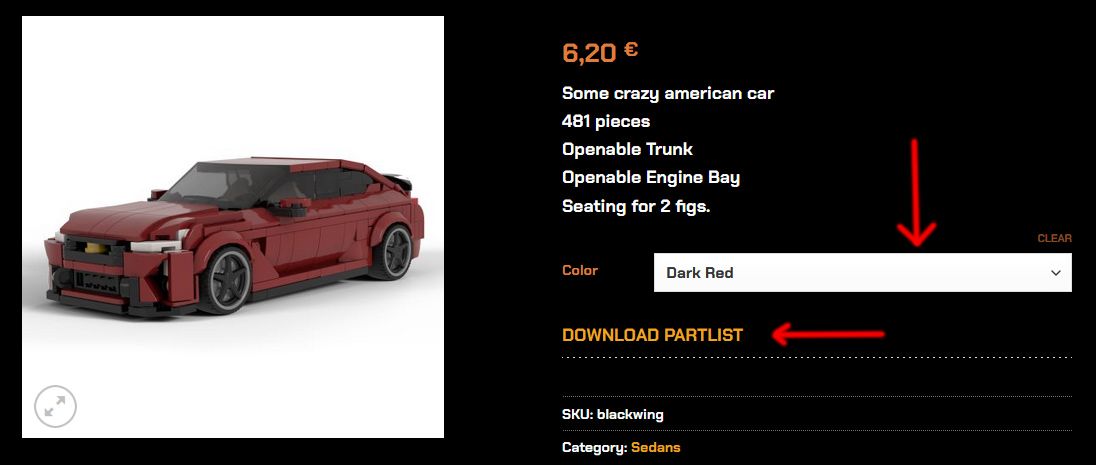
STEP 1
Choose the car you want to buy and within that car you can choose your preferred color version.
After that you can download the partlist of said car.
You can upload the partlist onto a wanted list on bricklink.com
That way you can check that you have the parts at home, or what you’ll need to build the car, or how expensive or cheap the parts would be.
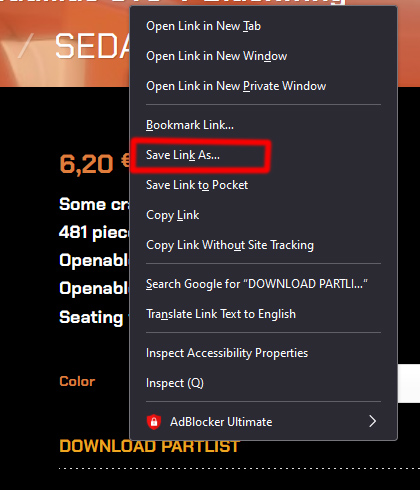
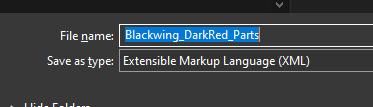
STEP 2
Save the chosen partlist to your computer
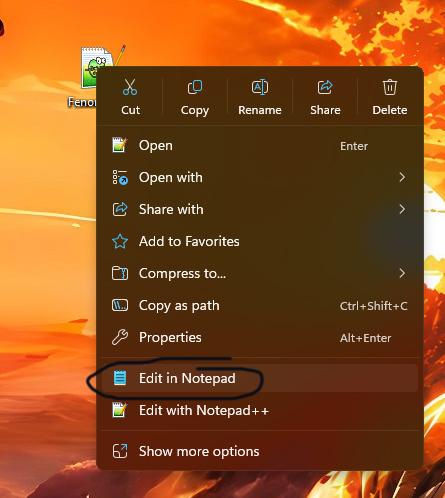
STEP 3
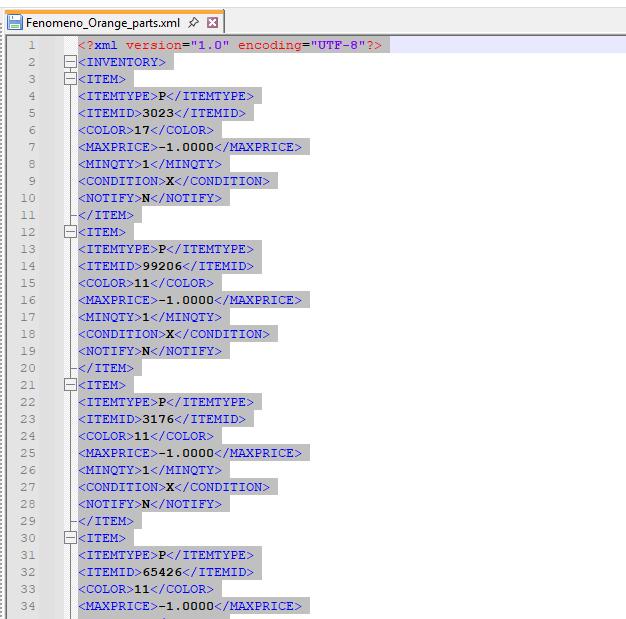
Right click on the XML File you downloaded
Open it with notepad or a text editor
Right click, select everything and copy all
STEP 4
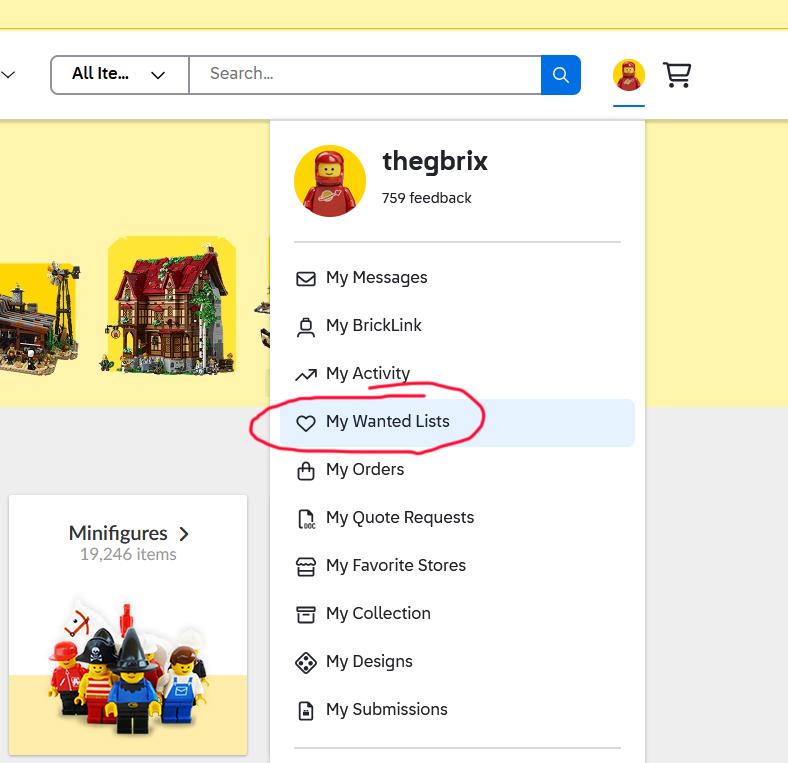
Log in into bricklink.com and go to “Wanted lists”
If you do not have a bricklink account you have to register first.
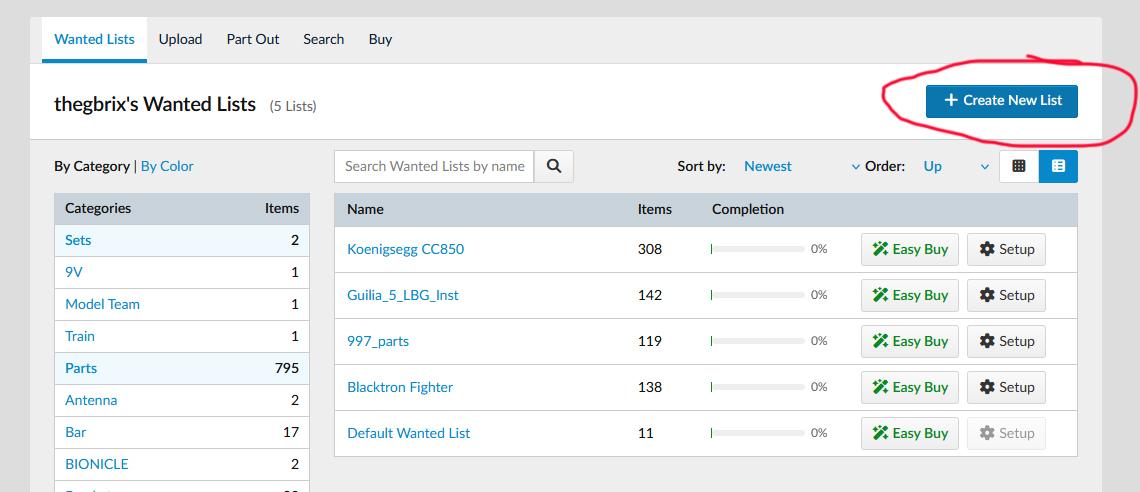
Select “Create New List”
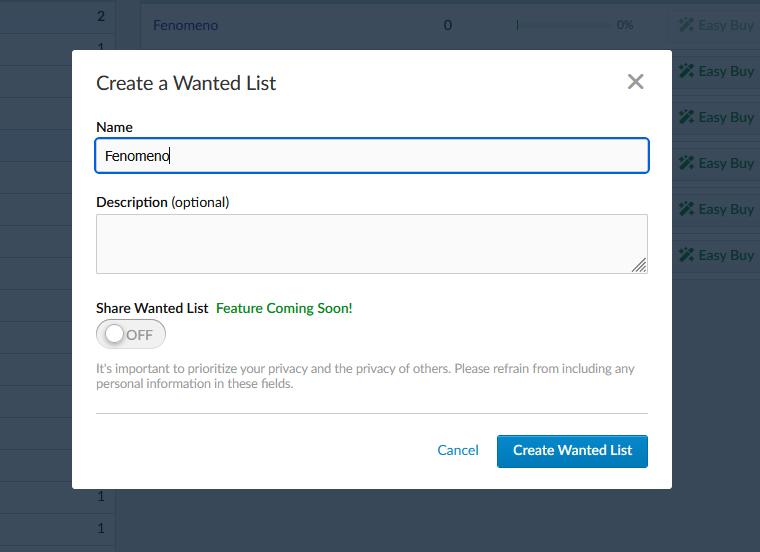
Give a name or description to your list and save it.
STEP 5
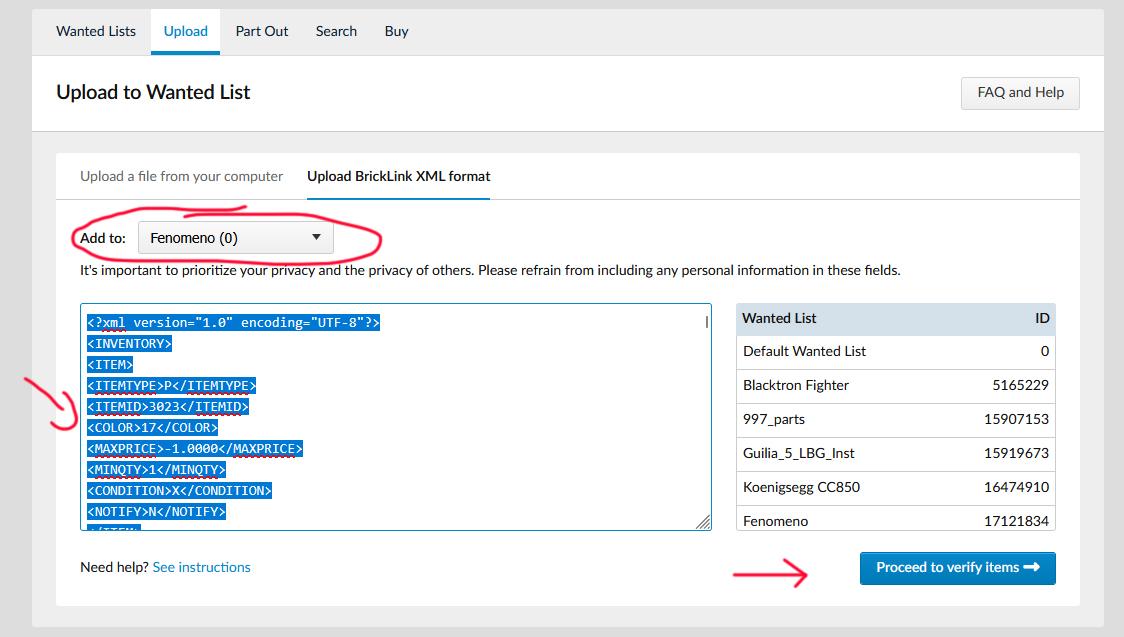
Select Upload Bricklink XML Format
Right click and paste all previously copied
Click to proceed to verify items
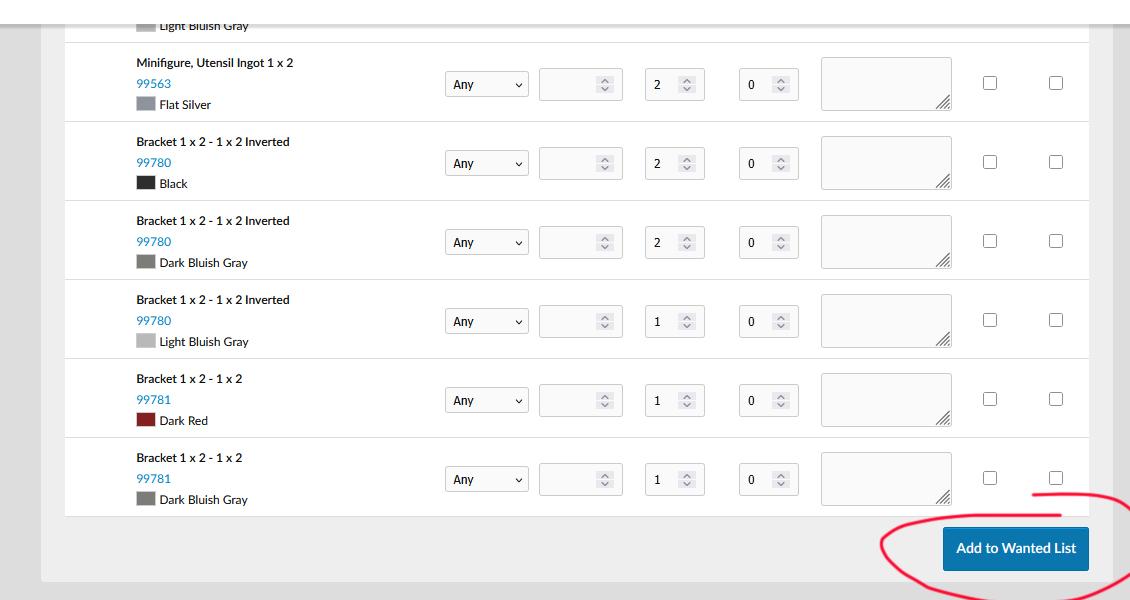
Click on add to wanted list at the bottom of the page
STEP 6
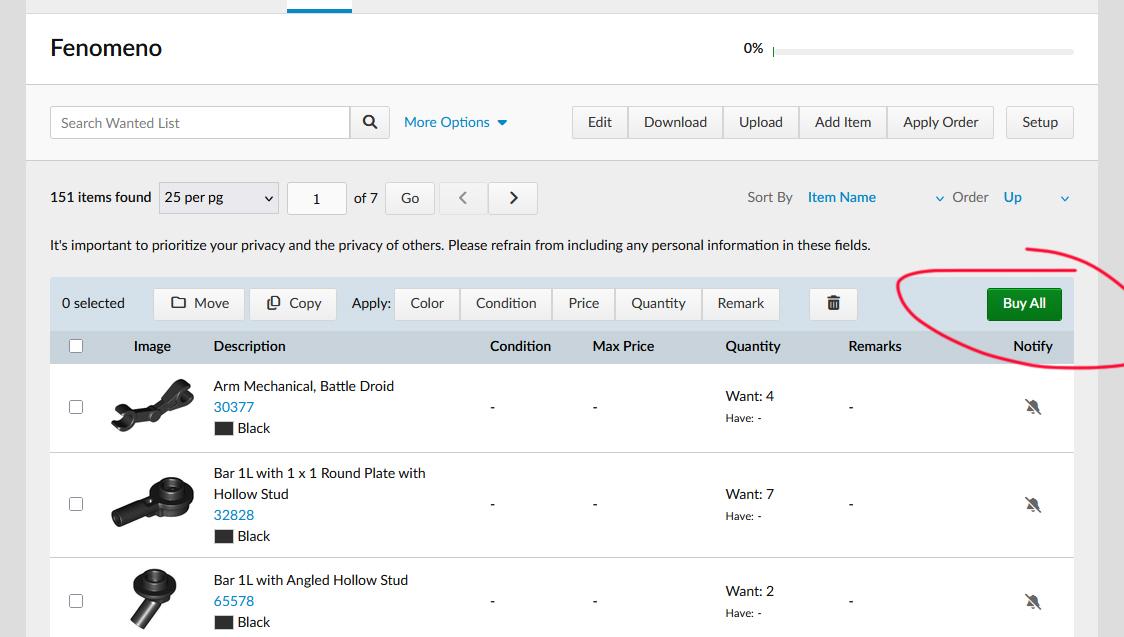
Now You can buy your parts.
For that I link a video for you!
https://www.youtube.com/watch?v=Fuwumr06VKs
I hope this little tutorial helped! :)